


Trade Vector AI Review 2026 – Features, Fees, and Risks
Trade Vector AI pitches an automated way to trade digital assets and foreign exchange without staring at charts all day. Retail traders often stumble on the site while searching for algorithm-backed software that can spot market swings and place orders automatically.
Behind the marketing promises, what does this software actually do? It is not an independent exchange with its own order books. The service functions primarily as a front-end lead router and analytical dashboard that connects retail sign-ups to third-party contract-for-difference (CFD) and forex brokers.
This review examines how the tool handles automated trades, where deposits actually go, the hidden expenses behind “$0 software fees,” and whether the interface fits your trading routine.
What Is Trade Vector AI?
Trade Vector AI is an algorithmic trading front-end built to scan price trends and push automated orders into connected brokerage accounts.
The platform does not custody client money directly or settle trades on an internal exchange. Instead, it pairs each user with an affiliated retail broker that manages order execution, leverage, and withdrawals. Details about the founders, development team, and company jurisdiction are absent from the site. This lack of transparency is common among retail broker-funnel interfaces, but it means you must vet the matched execution broker carefully before depositing cash.
How Does Trade Vector AI Work?
The workflow operates in distinct stages:
-
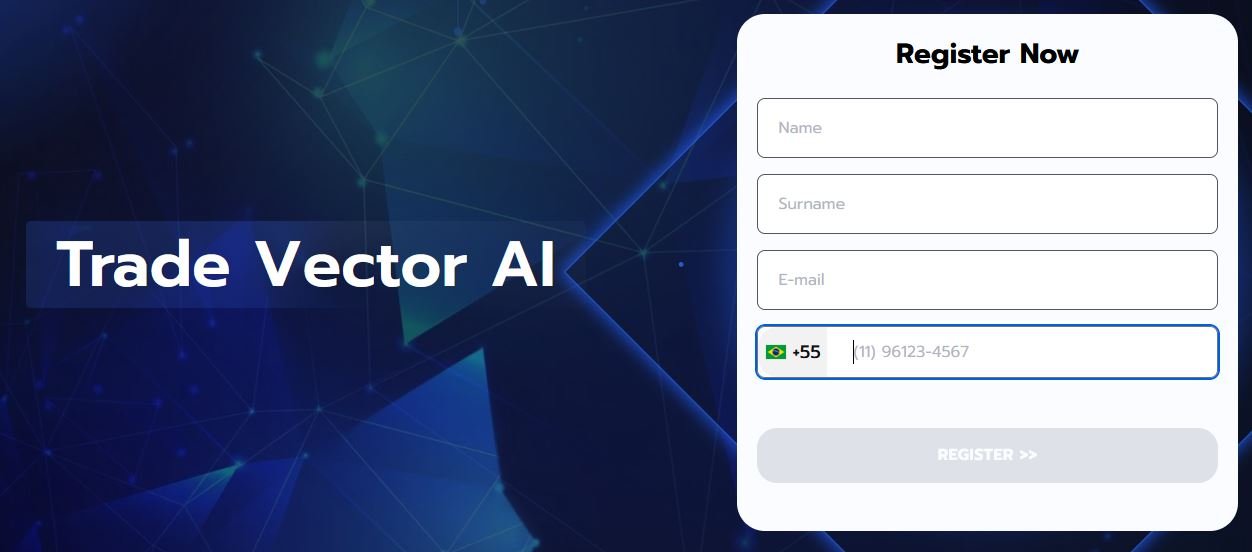
Account Sign-Up: You submit your name, email, and phone number on the main site.
-
Broker Assignment: The system forwards your details to a regional CFD or multi-asset broker partner.
-
Funding: You transfer trading capital directly to the broker’s clearing account, usually via card or bank wire.
-
Market Scanning: The software runs technical filters across price history, momentum bars, and volatility bands to spot trade triggers.
-
Execution: Trades execute automatically on your broker account, or you can receive alerts to execute orders manually.
-
Settlement & Cash-Out: Closed positions settle in your broker balance, and all payout requests go through that broker’s banking desk.
Automating the math does not remove market downside. When high-impact news hits, an automated model can rack up losses just as fast as a human trader.
Trade Vector AI Trading Features
-
Algorithmic Signal Scanning: Evaluates price momentum, moving-average crosses, and support breaks across selected pairs.
-
Automated Trade Execution: Directs buy and sell commands to your assigned broker desk without requiring manual clicks.
-
Manual Order Control: Lets you turn off auto-execution and use the system strictly for market alerts.
-
Risk Threshold Settings: Allows you to adjust stop-loss levels, profit targets, and trade sizes to cap downside.
-
Paper-Trading Mode: A practice environment to watch the software place orders with virtual funds before using real cash.
-
External Broker Clearing: Keeps trade execution and balance custody with third-party brokers rather than the software portal.
Trade Vector AI Technical Details
| Specification | Information |
| Platform Type | Algorithmic front-end / Broker gateway |
| Underlying Tech | Technical indicator logic and broker API hooks |
| Minimum Deposit | $250 |
| Platform License Fee | $0 |
| Demo Account | Yes, provided through the broker dashboard |
| Mobile Access | Mobile web browser |
| Supported Markets | Crypto CFDs, Major Forex, Commodities, Indices |
| Customer Support | Contact form; live support handled by the allocated broker |
| Jurisdiction Limits | Unavailable where local regulators bar retail crypto CFDs |
How Much Does Trade Vector AI Cost?
The software itself carries no subscription price or setup charge. However, that does not mean trading is free. The execution desks make their money through bid-ask spreads, margin interest, and occasional processing charges.
| Cost Element | Details |
| Minimum Deposit | $250 (credited as trading capital, not a software fee) |
| Account Opening | $0 |
| Platform Fee | $0 |
| Trading Spreads | Variable based on the assigned broker’s rates |
| Deposit Fees | None from the front-end; card processors may apply charges |
| Withdrawal Fees | Managed by the broker’s terms |
| Overnight Financing | Standard rollover rates on leveraged CFD positions held open |
A wide spread acts like a direct tax on every trade. If your bot triggers dozens of small intraday orders, those spread costs can chip away at your equity over time.
Trade Vector AI Market Coverage
Your available instruments depend entirely on the broker linked to your registration:
-
Digital Assets: CFDs on Bitcoin, Ethereum, Litecoin, and major altcoins paired against fiat or stablecoins.
-
Currencies: Liquid pairs like EUR/USD, GBP/USD, and USD/JPY.
-
Commodities and Equity Indices: Standard contracts on gold, crude oil, and major stock indexes like the S&P 500.
Because these positions are derivatives rather than direct token holdings, you cannot transfer coins to a private, cold-storage hardware wallet.
Strengths and Limitations
| Strengths | Limitations |
| No monthly software subscription or licensing bill | Founding team and legal entity are not publicly named |
| Uncomplicated setup that runs in any standard browser | Relies on third-party brokers for balance custody and withdrawals |
| Paper-trading mode lets you test before depositing | Marketing materials outpace independently audited track records |
| Configurable stop-loss and trade-size parameters | Derivatives-only format means you do not own the spot coins |
What Makes Trade Vector AI Different?
Standard algorithmic tools like MetaTrader or TradingView require you to write scripts, adjust complex backtests, or connect personal API keys. Trade Vector AI strips that complexity out by providing ready-made indicators connected straight to a broker interface.
The trade-off is control. Advanced quants cannot audit the underlying codebase, tune granular parameters, or run tick-by-tick backtesting against historical tick data.
How to Get Started With Trade Vector AI Crypto Platform?
- Step 1: Open the Main Portal
Visit the official site and review the onboarding details.
- Step 2: Submit Contact Info
Fill out the basic registration form with your name, active email, and phone number.
- Step 3: Complete Identity Verification
Your assigned broker will reach out to request standard verification documents, like a photo ID and proof of residence, to satisfy regulatory compliance.
- Step 4: Deposit Initial Funds
Transfer the minimum required $250 to activate the broker trading line.
- Step 5: Run the Demo Mode First
Switch on the practice balance to see how trade signals trigger during live market hours without putting your capital on the line.
- Step 6: Set Clear Risk Limits
Dial in fixed stop-losses, reduce leverage levels, and restrict the system from over-allocating on single positions.
- Step 7: Launch Trading
Decide between fully automated trade routing or manual order confirmations.
Key Risks to Understand
-
Algorithmic Mismatch: Trend models struggle when price action chops sideways, producing false breakouts and quick sequential losses.
-
Broker Dependency: Since your money rests with an external broker, that broker’s regulatory status determines your protection.
-
High Leverage: Many CFD brokers default to high leverage. A slight move against your position can wipe out a $250 starting balance in minutes.
-
Slippage During Volatility: Fast-moving crypto sessions often result in orders filling several points past your intended trigger price.
Mistakes to Avoid
-
Adding Capital Too Quickly: Depositing more than the $250 minimum before testing the broker’s payout process exposes unnecessary capital.
-
Skipping the Demo Account: Moving straight to live trading without observing order execution in practice mode leads to avoidable mistakes.
-
Leaving Automation Unmonitored: Hands-off does not mean hands-free. Leaving a bot running unattended during surprise economic announcements can be costly.
-
Believing Big Return Claims: Promotional claims of high win rates rarely hold up in shifting market conditions.
Things to Verify Before Depositing
-
Check whether your assigned broker holds a valid license with a recognized financial watchdog.
-
Review the broker’s stated withdrawal schedule and wire fees.
-
Make sure you are using the authentic domain.
-
Test trade execution on the practice balance to gauge latency.
-
Confirm whether your positions are spot holdings or leveraged derivative contracts.
Is Trade Vector AI Legit?
Trade Vector AI functions as an active broker-referral bridge and automated technical dashboard. It is not an overt scam that locks a browser window, but its missing corporate background means you should stay alert.
Your safety depends heavily on which broker receives your account. If you are paired with a regulated, reputable brokerage desk, the setup behaves predictably. If the assigned partner is an unregulated offshore operation, recovering deposited funds can prove challenging.
Is Trade Vector AI Safe?
The site protects basic login submissions using standard web encryption. Beyond server security, your trading capital faces unavoidable financial risks.
No algorithm can shield your balance from swift price plunges, widening spreads, or leverage liquidations. Treat any deposited money as speculative capital.
Who May Find Trade Vector AI Suitable?
-
Beginners who want a simple automated interface without learning coding or advanced charting.
-
Traders wanting exposure to both crypto assets and forex pairs under one login.
-
Part-time traders looking for automated trend signals to supplement their daily routines.
Who Should Consider Alternatives?
-
Long-term crypto investors who want actual token ownership and self-custody.
-
Professional quants who need open-source Python hooks and verifiable historical backtests.
-
Residents of regions where retail crypto derivatives and CFDs are prohibited by law.
Customer Support
Support responsibilities are split between two entities:
-
Front-End Support: Trade Vector AI offers a basic web contact form for general login questions.
-
Broker Support: The partner broker provides operational account help, deposit tracking, and withdrawal requests via telephone, ticketing, or live chat once you are verified.
Response quality and resolution speed depend largely on the broker handling your account.
Mobile Trading Experience
Trade Vector AI does not provide dedicated apps on Google Play or the iOS App Store. The entire suite runs inside standard mobile browsers. The web layout adjusts well to smaller screens for tracking trades and adjusting stop levels, but reviewing multiple chart timeframes is still easier on a laptop or desktop monitor.
Trade Vector AI FAQ
Q. What is the minimum deposit on Trade Vector AI Platform?
Activating an account with the connected broker requires an initial deposit of $250.
Q. Does Trade Vector AI bill a recurring membership fee?
No. There are no monthly subscription charges for the front-end software. Costs are paid through broker spreads and trading commissions.
Q. Can I request withdrawals directly from Trade Vector AI?
No. All deposits and payouts are handled inside the assigned broker’s account area.
Q. Can this software guarantee consistent daily gains?
No software eliminates market risk. Any trading balance is vulnerable to losses, especially in volatile market conditions.
Q. Does the service offer an app for iOS or Android?
There is no downloadable app. The dashboard runs directly through your web browser.
Our Assessment of Trade Vector AI
Trade Vector AI serves as an accessible entry point for newcomers who want automated market scanning without learning how to write custom code. The browser layout is clean, and the practice environment gives you space to get comfortable with the tools before risking money.
The platform’s biggest limitation is its lack of public corporate disclosures and its reliance on external brokers for trade execution and fund custody. The software works fine as an alert dashboard, but your overall experience will hinge on the regulatory standing of whichever broker gets assigned to your account. If you decide to try it, stick to the $250 minimum, test withdrawals early, and keep your risk settings conservative.
About The Author